Claude CodeClaudeAIAI AssistantAnthropicAI Agents
How to Structure the .Claude/ Folder for Maximum Efficiency: A Practical Guide to Instructions, Rules, and Hooks
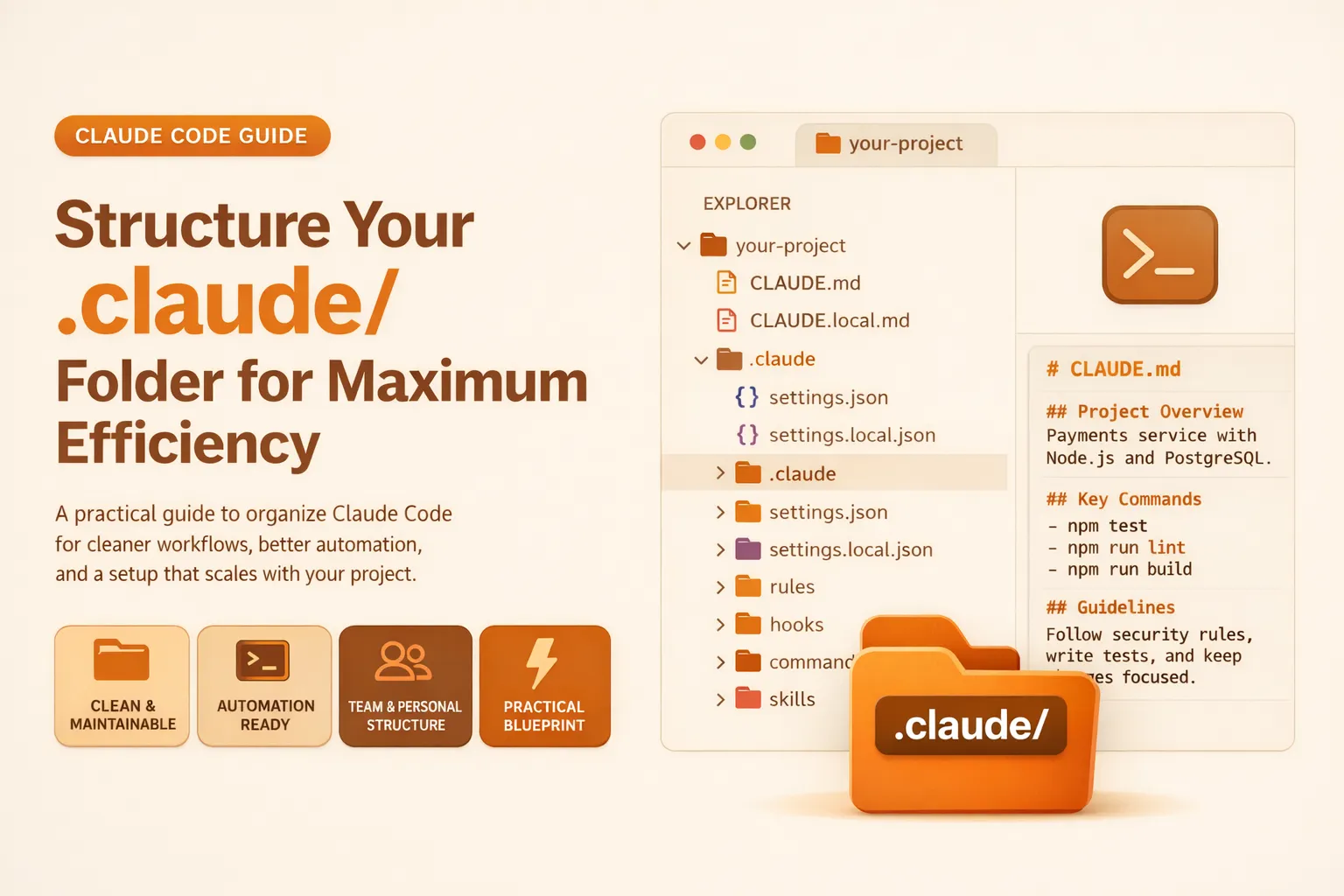
🚀 Quick Answer
- Use CLAUDE.md at the root to define the project's main context, stack, and broad workflow instructions.
- Store settings.json inside
.claude/to control permissions, hooks, and project-level behavior. - Separate instructions (global) into rules/ for modular, maintainable guidance.
- Use hooks/ for automation scripts (formatting, security) that run automatically, and commands/ for reusable prompt workflows.
- Keep skills/ and agents/ only when you need deep, specialized capabilities.
- Avoid mixing team standards with personal preferences; use local override files like
CLAUDE.local.mdfor individual tweaks.
🎯 Introduction
Most developers discover the .claude/ folder by accident, often leaving it as a dumping ground for random configuration files. However, knowing How to Structure the .Claude/ Folder for Maximum Efficiency is critical as projects scale. A disorganized folder makes workflows scattered and impossible to maintain. In this guide, we’ll cover how to configure Claude Code for real projects, focusing on instructions, rules, hooks, skills, and permissions to create a clean, scalable structure.
🧠 Core Explanation
A .claude/ folder is the operating layer of your AI assistant in the codebase. It dictates how Claude understands your project, follows conventions, and automates workflows.
The structure must separate:
- Instructions (The Why): CLAUDE.md defines the overall project scope.
- Modular Rules (The How): Rules/ stores specific guidance (e.g., backend vs. frontend standards).
- Action and Automation: Hooks/ and commands/ handle the "doing" – automatic scripts and reusable prompt templates.
🔥 Contrarian Insight
"No matter how many folders you create, a messy .claude/ setup is worse than a clean single-CLAUDE.md file."
Many developers rush to create skills/, agents/, and numerous rule files before mastering the basics. The hallmark of an efficient structure is not complexity, but intentionality. Every file and folder must solve a specific problem. If you are adding structure merely to look advanced, you are adding friction, not value.
🔍 Deep Dive / Details
1. The Core: What Lives at the Top Level
At the root of the project, keep two critical files:
CLAUDE.md: The project's operating guide. It explains the stack, architecture, main commands, and broad conventions..claude/settings.json: The control layer. It defines permissions (e.g., allowingpytestbut denying access to.envfiles) and default hook configurations.
The 100-word rule: The primary keyword appears here naturally to guide the reader immediately.
"Most people discover the .claude/ folder by accident! They see it appear in the project and leave it alone unless they need to change one specific setting. However, understanding How to Structure the .Claude/ Folder for Maximum Efficiency helps developers manage configuration as code. A flawed structure turns the folder into a cluttered mess, making it hard for both humans and Claude to maintain."
2. Keep Instructions Lean: CLAUDE.md vs Rules/
Do not smear all your guidance into CLAUDE.md. As soon as it crosses 50 lines, split it.
CLAUDE.md: Holds global guidance (Project vision, stack, main commands)..claude/rules/: Holds specialized guidance (Backend API rules, frontend UI conventions, testing protocols).
You can even use path-based rules (e.g., .claude/rules/backend-api.md applies only when dealing with specific file paths).
3. Organize for Action: Hooks, Commands, and Workflows
Once instructions are clear, separate them from action.
.claude/hooks/: Automation scripts. These run automatically to validate outputs (e.g.,format-edits.shfor ruff)..claude/commands/: Reusable prompt workflows. These are static prompt files for tasks like "Review PR" or "Write Tests" that don't have complex logic but are repeated often.
4. Structure Specialized Capabilities: Skills and Agents
These are for mature projects.
.claude/skills/: Packaged capabilities with supporting documents. Useful for complex workflows like "Release Prep" that need templates and checklists..claude/agents/: Specialized subagents or personas (e.g., "Security Auditor") with defined, narrow scopes.
🏗️ Configuration Architecture
Think of the .claude/ structure as a layered system:
- Base Layer:
CLAUDE.md(Context & Knowledge) - Control Layer:
settings.json(Permissions & Global Behavior) - Logic Layer:
rules/(Modular Constraints) - Automation Layer:
hooks/(Safety & Validation) - Action Layer:
commands/&skills/(Workflow Execution)
Scaling Strategy: Start at Layer 1 & 2. Migrate to Layer 3 when CLAUDE.md gets crowded. Add Layer 4 & 5 only when specific automation or complex workflows are required.
🧑💻 Practical Value
The Efficiency Blueprint
Here is a practical blueprint for a fast-moving team (SaaS + API backend):
your-project/
├── CLAUDE.md                           # Global project guide
├── CLAUDE.local.md                     # Personal overrides (not committed)
└── .claude/
    ├── settings.json                   # Permissions & hooks
    ├── settings.local.json             # Local overrides
    │
    ├── rules/                          # Modular advice
    │   ├── backend-api.md
    │   ├── frontend-ui.md
    │   └── security.md
    │
    ├── hooks/                          # Automation scripts
    │   ├── format-edits.sh             # Runs ruff format on edits
    │   ├── block-dangerous-commands.sh # Blocks git pushes during active work
    │   └── lint-edits.sh              # Runs linter
    │
    ├── commands/                       # Reusable prompts
    │   ├── review-pr.md
    │   ├── write-tests.md
    │   └── summarize-changes.md
    │
    ├── skills/                         # Packaged workflows (Optional)
    │   └── release-prep/
    │       ├── SKILL.md
    │       └── release-template.md
    │
    └── agents/                         # Specialized personas (Optional)
        ├── security-auditor.md
        ├── code-reviewer.md
        └── api-gateway-helper.md
Actionable Steps
- Audit: Check your current
.claude/folder. IsCLAUDE.md> 200 lines? - Move: Create
rules/and move specific technical guidelines there. - Separate: If you have multiple developers, create
.claude/settings.local.jsonfor personal tweaks. - Clean: Delete files you haven't used in 3 months (stale workflows).
⚔️ Comparison: Modular Rules vs. Monolith
| Feature | Single CLAUDE.md | Rules/ (Modular) | Skills/ (Packaged) |
|---|---|---|---|
| Maintenance | High (Search overhead) | Low (Targeted updates) | Medium (Needs lifecycle mgmt) |
| Readability | Low (Confusing context) | High (Clear distinct topics) | High (Self-contained) |
| Best For | < 50 lines, small projects | Growing repos, diverse stacks | Complex, multi-step workflows |
| Complexity | Low | Low | High |
⚡ Key Takeaways
- Structure is Trust: A clean
.claude/folder makes Claude easier to guide and verify. - Keep It Lean: The
.claude/root should only containsettings.jsonand modular rules directly. - Files > Folders: Add new folders (like
skills/) only when the workflow complexity justifies it. - Ownership Matters: Use local files (
*.local.md) to keep personal preferences out of version control. - Hooks for Automation, Commands for Reuse: Don't mix automatic safety checks with user actions.
🔗 Related Topics
- Why Large Language Models Fail at Code Debugging
- Optimizing Pydantic Models for Production Performance
- Real-World System Design for SaaS APIs
🔮 Future Scope
As the .claude/ ecosystem matures, expect:
- Standardized Schema: Industry-standard file names for
settings.json. - CI/CD Integration: Using
.claude/workflows directly in GitHub Actions. - Visual Configurations: Moving away from Markdown text files to JSON/YAML schemas for complex agent behaviors.
❓ FAQ
Q: Should I commit my personal .claude/local.json file?
A: No. CLAUDE.local.md and settings.local.json contain personal preferences. Version control them with .gitignore to avoid conflicts when other developers clone the repo.
Q: How do I know when to add an agents/ folder?
A: You probably don't need it yet. Create an Agent when you have a specific role that runs repeatedly (e.g., "Security Auditor") and needs its own strict rules file, distinct from general Code Review.
Q: What is the difference between a command and a skill?
A: A command is typically a single prompt file for simple tasks like "Summarize Upcoming Changes." A skill is a folder containing multiple files (a prompt, a template, a checklist) for complex workflows like "Prepare Release."
Q: Can rules/ files be empty or generic?
A: No. Generic rules clutter context. Every rule file should contain actionable constraints (e.g., "Must use async def for DB interactions").
Q: Do hook scripts need to be bash? A: Not necessarily. While shell scripts are common for CLI hooks, you can also use Python scripts, Node.js orchestrators, or any executable the system can run.
🎯 Conclusion
Organizing your .claude/ folder is not just about tidiness; it is about building a reliable operating layer for your AI assistant. By following this guide to structure the .claude/ folder for maximum efficiency, you ensure that Claude scales with your project, not against it. Start simple, be intentional, and grow your configuration only when the workflow demands it. This clarity transforms Claude from a chatbot into a dependable teammate.
Share This Bit