AI
Interactive AI Mascot: What It Is & How Founders Can Build It
🚀 Quick Answer
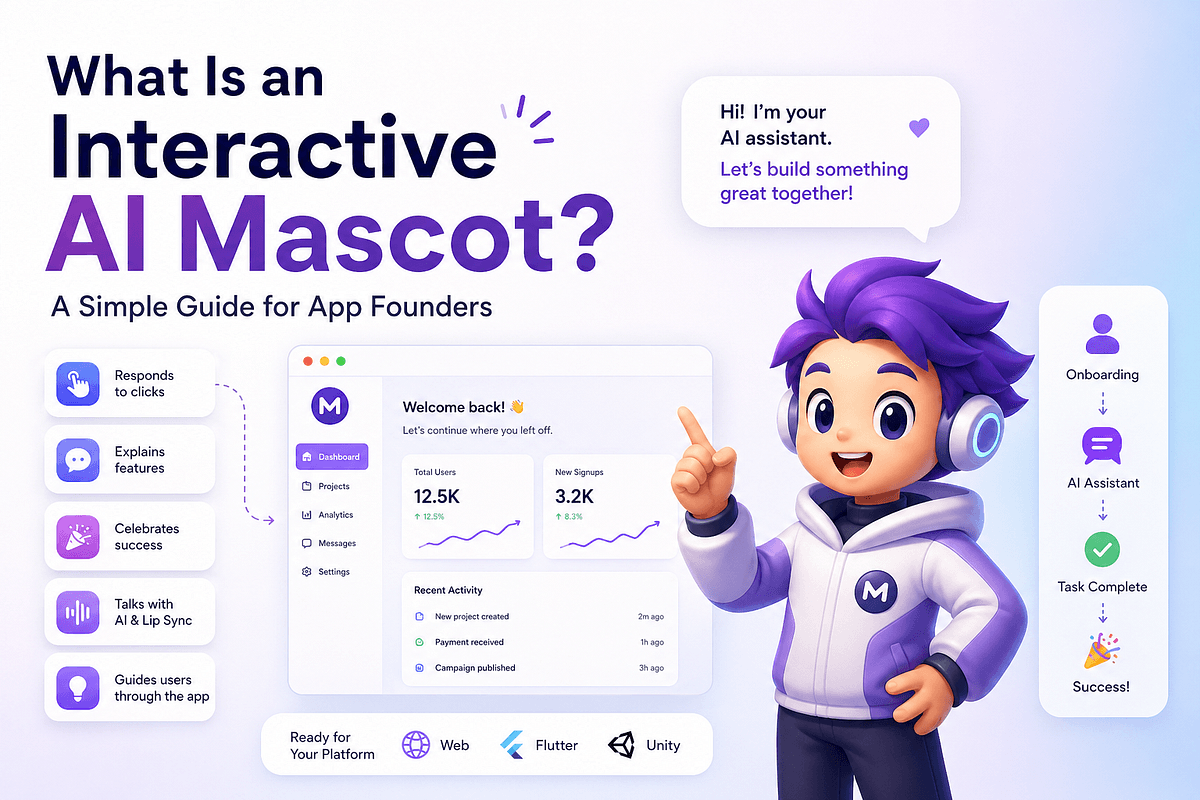
- What is it? A digital character inside your app that combines visual branding with runtime state-based animations to guide user behavior.
- Why use it? It reduces user friction during onboarding, increases emotional connection to the product, and makes complex AI features feel approachable.
- Core Tech: It relies on vector animation engines (like Rive) paired with product logic state machines to trigger specific visual behaviors.
- Key Benefit: Unlike static illustrations, it reacts to user actions (doubts, errors, success) in real-time.
🎯 Introduction
A user lands on your dashboard, sees tooltips, and tries to figure out the workflow alone. The interface may be clean, but the experience feels mechanical.
That failure point is exactly where an interactive AI mascot solves the problem.
An interactive AI mascot is more than a "cute character." It is a functional state machine wrapped in physics-based animation. It acts as your product’s guide, onboarding assistant, and AI interface all in one. For app founders, this moves from "nice-to-have" to strategic retention tool.
It bridges the gap between logic and human emotion.
🧠 Core Explanation
At a high level, an interactive AI mascot operates on three layers:
- The Visual Identity (Design): A character defined for your brand (robot, animal, avatar).
- The Runtime States (Animation): Multiple animation files (Idle, Talking, Thinking, Error) that play based on user context.
- The Interaction Logic (Code): A bridge between your product backend/frontend and the animation engine.
The "Why" Behind the Trend
Modern SaaS products are feature-heavy. Customers don't know where to click or why a button matters. A mascot reduces "decision fatigue" by providing a directional cue and an emotional anchor.
Gaming UI vs. SaaS
In video games, UI is acceptable. In serious productivity tools or AI apps, character guidance signals that the interface is alive and ready to help, not just a static tool.
🔥 Contrarian Insight
"A mascot is not decoration; it is a UI component that manages user attention."
Most founders treat mascots as brand equity (like a logo). They put a static image on the homepage and pat themselves on the back. This is marketing, not product.
A real interactive AI mascot is a functional aid. If you build one just to look cool, you will frustrate users. If you build one to solve specific decision moments (e.g., "I'm stuck, where do I next?"), it becomes a retention driver.
🔍 Deep Dive / Details
The Technical Architecture
To implement an effective mascot, you need a state-driven architecture. This isn't just about string pulling; it's about event sending.
1. The Visual Asset (Rive/Spine)
- Vector-Based: Lightweight font-like files.
- Stateful: Can hold multiple complex states (lip sync, joint movement, expression change) in a single file.
- Actionable: Buttons inside the engine allow code to trigger animations (e.g., "waving", "jump").
2. The State Manager (Logic) You need a manager in your frontend code that listens to product events.
- Idle State: When the user is doing nothing outside the target area.
- Guiding State: When the app detects an empty state or a mismatch (User is looking at the wrong settings).
- Success State: On form completion or high-quality action.
3. The AI Neural Link When your AI engine outputs a response, the mascot acts as the "skinner box." It triggers a "Thinking" animation first, then a "Talking" animation once the text is ready.
The Workflow Logic (Pseudo-Code)
// Pseudo-code for a Mascot State Manager
class MascotController {
  constructor(animationEngine) {
    this.engine = animationEngine;
    this.currentState = 'IDLE';
  }

  syncWithUserState(userState) {
    switch (userState.action) {
      case 'LOGIN':
        this.play('WAVE');
        break;
      case 'ERROR':
        this.play('SHAKE_HEAD');
        break;
      case 'AI_THINKING':
        this.play('PROCESSING');
        break;
      case 'AI_FINISHED':
        this.play('POINT_NUDGE');
        break;
      default:
        this.play('IDLE');
    }
  }
}
🧑💻 Practical Value
Step-by-Step Implementation Guide
Phase 1: Define the Role Don't pick a character first. Map the user journey.
- Problem: "Users drop off on the Settings page."
- Mascot Role: The "Configuration Guide."
Phase 2: Select the Tool
- Rive: The industry standard for interactive animation. It runs everywhere (Web, Mobile, Desktop) and is powerful.
- Spine: Good for 2D skeleton rigging, widely used in games.
Phase 3: Build the States You don't need 50 animations. Start with:
IdleTalking(with lip sync capability)Thinking(spinner or scratching head)Positive(celebration)Neutral/Helpful(pointing)
Phase 4: The Integration Connect your UI events to Rive instance methods.
// Example in React / Web
import { Rive, Layout, Fit } from "@rive-app/canvas"
// Trigger the mascot to ask a question based on UI state
<Rive src="mascot.riv" autoplay fit={Fit.Contain} stateHandlers={{ talk: true }} />
Common Mistakes to Avoid
- Over-animating: If the mascot is always moving, the user glances away. It should be subtle.
- No Opacity Fading: Don't pop the mascot in. Fade it in/out so it feels native.
- Ignoring Accessibility: Ensure the mascot isn't the only form of explanation. Use text labels for screen readers.
⚔️ Comparison: AI Mascot vs. Normal Chatbot
| Feature | Normal Chatbot | Interactive AI Mascot |
|---|---|---|
| Visual Feedback | Text fields, typing indicators. | Physics-based character reactions (lip sync, poses). |
| Passive vs Active | Reactive (waits for user input). | Proactive (guides user, points clicks, predicts next steps). |
| Emotional Connection | Low (it's a utility). | Medium-High (it has personality). |
| Complexity | Low (API based). | Medium (Design + Animation + Logic). |
| Best Use Case | Transactional queries ("How do I reset password?") | Onboarding, UX guidance, "Hello" sequences. |
⚡ Key Takeaways
- Purpose over Persona: The mascot must solve a UI friction point; otherwise, it is just visual noise.
- State is King: The mascot's behavior should be strictly tied to application states (Error, Success, Empty).
- Technology: Use vector animation (Rive) for performance and scalability across devices.
- Start Small: Test with one key interaction (e.g., just onboarding) before rolling it out company-wide.
- Subtlety Wins: Ugly-but-useful beats pretty-but-distracting.
🔗 Related Topics
- How to Design Better Product Onboarding Flows
- Using Rive for Business Apps: A Guide
- The Future of AI Interfaces: Beyond Chatbots
- How to Reduce Churn with Micro-Interactions
- Design Systems for AI Features
🔮 Future Scope
The next generation of interactive mascots will feature multimodal capabilities:
- Voice & Lip Sync: Merging text-to-speech with real-time audio analysis.
- Gesture Recognition: The mascot reacts to user head movement in video calls or AR interfaces.
- Procedural Animation: Using AI to generate unique idle animations based on mood, rather than pre-set keyframes.
❓ FAQ
Q: Do I need AI for an interactive mascot? A: Not necessarily. You can have a "robot" that moves, but an "AI Mascot" implies it communicates or makes decisions based on user context. You can start with a visual mascot and add AI behavior later.
Q: Is Rive better than Spine? A: For portable interactive UI (web/mobile apps), Rive is often preferred due to its unified file format, small asset size, and robust state management features.
Q: Will a mascot trigger accessibility blockers? A: Yes. If the mascot tells the user to click "OK," but doesn't have a distinct HTML button triggering it, it fails. Ensure the mascot is an overlay to accessible DOM elements.
Q: What's the cost involved? A: Free for simple character design and low-bandwidth usage. Professional keyframe animation or motion capture integration costs vary from $1k to $20k depending on the quality required.
🎯 Conclusion
For app founders, an interactive AI mascot is a tool to humanize technology.
It turns a cold dashboard into a helpful guide. While it sounds like a "design detail," in an era where every app has the same AI features, the mascot is your chance to differentiate the user experience.
If you are building a SaaS with complex flows, consider adding a directional guide. It won't fix bad architecture, but it will make the engineering process feel less intimidating for non-technical users.
Want to build an interactive AI mascot for your app? Mascot Engine helps founders and product teams create custom interactive mascots for web apps, Flutter apps, and Unity projects. Visit MascotEngine.com to start with a demo.
Share This Bit