What is an AI Agent? Complete Guide for Developers (2026)
BitAI Team
April 18, 2026
5 min read
What is an AI Agent? Complete Guide for Developers
🚀 Quick Answer
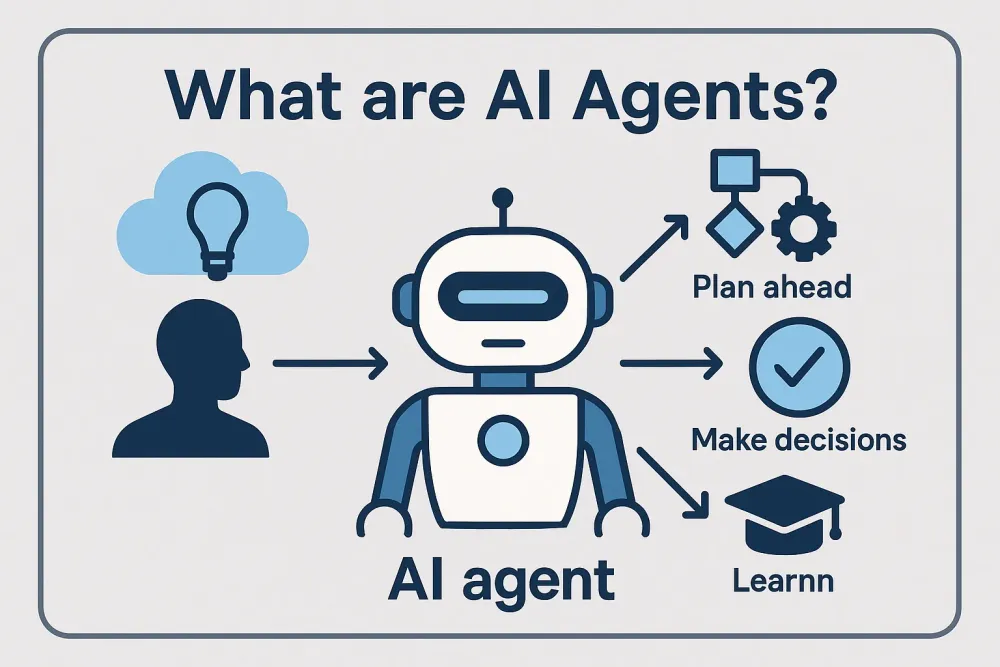
An AI Agent is an autonomous system that perceives its environment, processes information, makes decisions, and takes actions to perform specific goals.
Unlike passive chatbots, AI Agents utilize tools (APIs, Python code, search engines) to interact with the real world iteratively.
Currently shifting from simple conversational AI to complex, multi-agent workflows (e.g., RAG-coupled agents).
🎯 Introduction
If you’ve been asking what is an AI Agent lately, you aren't alone. The hype is everywhere, but the architecture is still being defined. This complete guide for developers cuts through the noise to show you what is actually happening under the hood.
We need to differentiate agents from traditional chatbots. A chatbot is a conversationalist sitting behind a desk waiting for questions. An AI Agent is an intern you hire: they read the manual, find the tools, ask for clarification, and actually execute the work.
Many developers jump to building Agents immediately, thinking it's the next magic button. But building a stable Agent requires understanding state management, tool calling, and orchestration—hard problems that don't just happen automatically.
🧠 Core Explanation
The simple answer is: An AI Agent is software that can use tools to perform tasks autonomously.
To understand this technically, we look at the three distinct pillars of an Agent:
Perception (The Brain): This involves taking raw input (text, images, file metadata) and converting it into a structured format the AI can understand. In many cases, this includes building a "memory" of the conversation.
Reasoning (The Mind): This is where the Large Language Model (LLM) spins up. The agent analyzes the task, breaks it down into steps, and decides where and how to intervene.
Action (The Body): The agent executes code, sends HTTP requests, or queries a database. This is the critical differentiator: interaction with the system state.
The fundamental shift here is autonomy. An Agent doesn't just finish at token 4096; it enters a management loop to achieve a goal state.
🔥 Contrarian Insight
"Most 'Agents' built today are just hallucinating chains."
I hear pitches for 'Autonomous Agents' that are just a fancy prompt template. They lack memory persistence, live in a fixed context window, and fail when the prompt gets even slightly complex.
Share This Bit
True autonomy requires stateful orchestration. You aren't building a magic brain; you are building a state machine that includes an LLM as its decision-maker. If your architecture doesn't explicitly manage the memory and state, you haven't built an Agent, you've built a fragile chatbot.
🔍 Deep Dive / Details
How AI Agents Work (The Iterative Loop)
The lifecycle of an AI Agent follows a continuous loop:
Observation: The Agent takes an input prompt (e.g., "Write a Python script to scrape weather data for London").
Thought: The LLM decides it needs a specific function, checks if it has the tool, and formulates the tool call.
Action: The Agent calls the "Search" or "Run Code" function.
Observation: The Agent receives the result (e.g., "Temperature is 15 degrees").
Reasoning: The LLM synthesizes the weather data and writes the completed script.
This loop runs multiple times until the goal is reached.
The "Agent vs. RAG" Distinction
RAG (Retrieval-Augmented Generation): Allows an LLM to read a specific document to answer a question. It is static and passive.
AI Agent: Uses RAG as a tool for gathering context, but can also use Python, email APIs, or SQL databases to modify that context.
Architectural Components
To build a robust agent, you need four components:
Tools / Function Calling: The interface to the outside world.
Orchestration Layer: The brain that decides which tool to use (e.g., LangChain, AutoGen, or custom Python managers).
🏗️ System Design / Architecture
If you are designing an AI Agent system at scale, you cannot run this in a single sequential script. You need a distributed architecture.
1. The Orchestrator (The Brain)
This is the process that manages the loop. It needs to handle timeouts and retries. If a tool fails (e.g., an API call times out), the orchestration layer must inject this failure back into the LLM's context so it can retry with a different approach.
2. The Tool Ecosystem
Separate the LLM from execution.
Don't ask the LLM to run raw Python code (unsafe).
Create a "Sandboxed Shell" that executes only safe commands.
Create a "Data Connector" wrapper for your SQL/NoSQL databases.
3. Caching Strategy
LLM calls are expensive.
Context Caching: Reuse frequent prompts.
Tool Result Caching: If you called OpenWeatherMap for "New York" 5 minutes ago, cache that result so the Agent doesn't re-pay for it.
4. Scaling Approach
Agent workflows often hit context window limits.
Local Summarization: Implement a "Summarizer Agent" that reads long conversation threads and compresses them into a summary before sending to the LLM.
Vector Store: Use a RAG pipeline to store tool outputs so the Agent can "remember" decisions without storing the raw history.
🧑💻 Practical Value
Building a Basic Python Agent
Here is a production-adjacent approach using Python and standard OpenAI SDK logic. This isn't a "Hello World" script; it defines the structure of a robust agent loop.
(Note: This represents the logic, not a copy-paste library dependency code).
class Agent:
    def __init__(self, system_prompt):
        self.system_prompt = system_prompt
        self.history = []
        self.tools = load_available_tools() # Maps function names to callable logic

    def listen(self, user_input):
        # 1. Perception: Append user input to history
        self.history.append({"role": "user", "content": user_input})

        try:
            # 2. Reasoning: Call the LLM
            response = openai.ChatCompletion.create(
                model="gpt-4",
                messages=[self.system_prompt] + self.history,
                functions=self.get_function_schemas()
            )

            message = response.choices[0].message

            # 3. Check for Tool Calling
            if message.get("function_call"):
                function_name = message["function_call"]["name"]
                args = json.loads(message["function_call"]["arguments"])

                # 4. Action: Execute the tool
                tool_result = self.tools[function_name](args)

                # 5. Append tool response to history
                self.history.append({
                    "role": "assistant",
                    "content": None,
                    "function_call": message["function_call"]
                })
                self.history.append({
                    "role": "function",
                    "name": function_name,
                    "content": str(tool_result)
                })

                # Re-invoke LLM to generate the natural language response based on tool result
                final_response = openai.ChatCompletion.create(
                    model="gpt-4",
                    messages=[self.system_prompt] + self.history
                )
                return final_response.choices[0].message["content"]

            return message["content"]

        except Exception as e:
            return f"Error: {str(e)}"
Real-world Implementation Tips:
Handle State Persistence: In production, do not keep all history in memory. Save to a database (Redis or Postgres) and re-load the state every time the loop runs.
Streaming: Always stream the response back using Server-Sent Events (SSE) so the user doesn't stare at a blank screen while the Agent thinks.
⚔️ Comparison Section
Feature
Traditional Chatbot (ChatGPT)
AI Agent
Interaction
Turn-based (User prompts, Bot answers).
Continuous execution loop.
Capability
Generates text.
Executes code, reads files, uses APIs.
Focus
Conversation.
Task completion.
State
Session specific.
Stateful (often remembers across sessions).
Skill
Language understanding.
Language understanding + Tool integration.
⚡ Key Takeaways
An AI Agent is a system that autonomously uses tools to achieve goals.
The core architecture follows the Observation → Thought → Action loop.
Memory and State management are the hardest parts of building agents at scale.
Don't over-engineer: Start with a simple script handling Function Calling before moving to multi-agent orchestration.
Agents are not a replacement for LLMs; they are the interface between LLMs and the actual world.
The industry is moving from "Single Agent" solutions to Multi-Agent Systems (MAS). In the future, you will have specialized agents: a "Coder Agent" writing code, a "Reviewer Agent" auditing it, and a "Manager Agent" coordinating the build. This specialization reduces hallucinations and increases task reliability.
❓ FAQ
Q: What is the difference between an AI Agent and AutoGPT?A: AutoGPT is a specific open-source implementation that popularized the "Agent" concept by trying to automate tasks autonomously. An AI Agent is the general concept/architecture that includes AutoGPT but also custom business logic or frameworks like LangChain.
Q: Can Agents replace frontend developers?A: Not entirely. Agents can help build the frontend, but human oversight is still required to handle user experience, design pixel-perfect screens, and ensure accessibility standards are met.
Q: What is RAG in the context of Agents?A: RAG (Retrieval-Augmented Generation) provides Agents with context. Instead of the Agent relying only on what it was trained on (6 months ago), RAG feeds it fresh, specific data at runtime.
Q: Are AI Agents safe for production?A: Only if properly sandboxed. An Agent with the power to run code or browse the web can accidentally delete data or scrape PII. Isolation and permission levels are mandatory.
Q: What tools do I need to build an Agent today?A: You primarily need access to an LLM (OpenAI/Claude API), a vector database (for the knowledge base), and an orchestration framework (like LangChain, LangGraph, or one of the AutoGPT implementations).
🎯 Conclusion
Understanding what is an AI Agent is the first step in the developer revolution. It represents the transition from passive AI tools to active software partners.
The technology is no longer theoretical. By mastering the loops of data ingestion, tool execution, and state management, you can build systems that do the heavy lifting. Stop treating LLMs as just the answer key; start treating them as the brain in your application architecture.
Ready to build? Start small, design your state machine first, and integrate one tool at a time.